
Workplace photos with a place on your website.
Your homepage and About page can show the people, work and setting behind the company. We plan groups, working scenes and views of your New York workplace alongside the team-page portraits. Your marketing contact or web agency helps choose what each page needs.
People and teams in their workplace


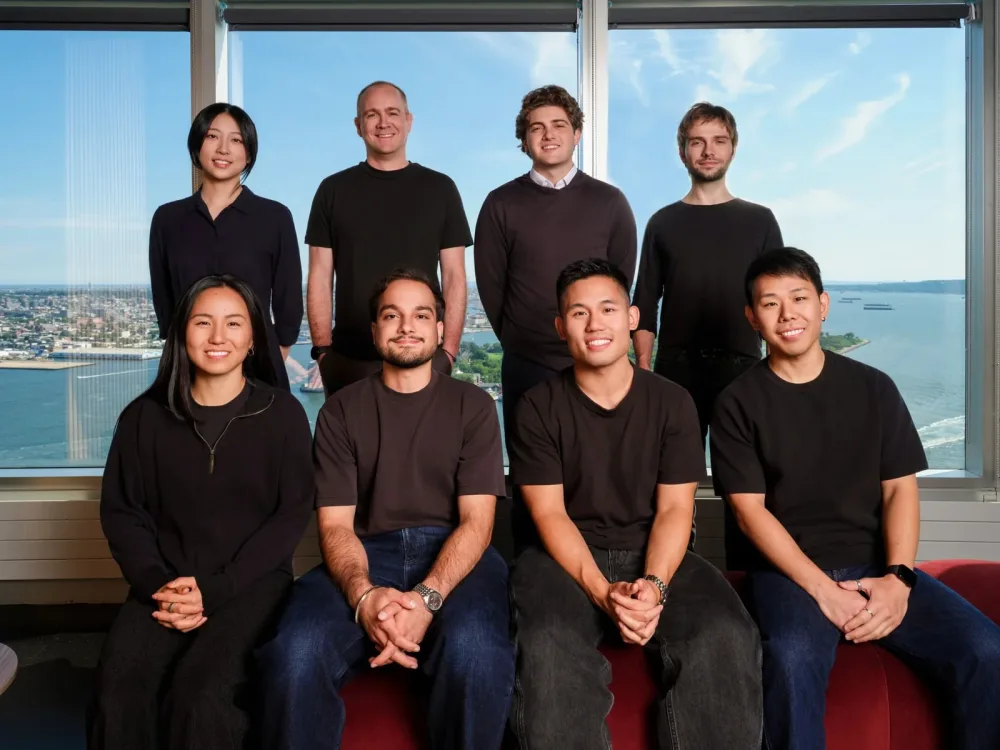
Choose a scene for each website placement.
A meeting, colleagues reviewing a presentation or a team group can give a company page context. We choose scenes with you and guide the people in front of the camera.
The website shot list names the page, participants and room for each scene. It also records the crop and any space your designer needs for text.
- Team groups and colleagues working together
- Leadership portraits in the workplace
- Meeting rooms and reception areas
- Office details that support the page
Keep the shoot workable for a busy office.
Your office contact confirms room access, scene participants and meetings that cannot move. We plan the shooting order alongside the portrait appointments using that information.
Before we photograph a scene, your team clears sensitive information from screens, desks and boards. Restricted rooms and views are kept off the agreed shot list.
Frame the photograph for the page it will fill.
Show us where the headline sits and how the image changes on mobile. We plan space around the subjects and choose a view that supports the design.
Each final website-kit photo includes a high-resolution master and two agreed web crops. Your designer supplies those dimensions before photography.
Use the kit’s company-photo allowance deliberately.
Kit 10 combines up to ten employee portraits with twelve additional edited photos. Kit 20 combines up to twenty portraits with fifteen additional photos. Groups, leadership photographs and workplace scenes use the additional allowance and the same photography block.
Choose the wider images from your page list before the shoot. A detailed architectural assignment, another location or extra finished images would change the website project’s scope.
Planning the wider website images
How many workplace photos can we include in the kit?
Kit 10 includes twelve additional edited company photos alongside up to ten employee headshots. Kit 20 includes fifteen alongside up to twenty. Groups, leadership portraits and workplace scenes share that allowance. Use your page list to choose the required finals, then plan them within the kit’s photography hours.
Link to this answerCan workplace scenes fit around the normal office day?
We plan selected scenes alongside the portrait appointments. Your office contact confirms available rooms, participants and fixed meetings or client visits. Each scene needs a defined website placement and a time when its people can be together. That information sets the shooting order for the combined kit.
Link to this answerWho checks that a website scene is safe to publish?
Your company identifies confidential material and restricted areas before photography. Clear screens, documents, whiteboards and visitor information from the agreed views. We review the scene with your office contact, while your team remains responsible for deciding which business information and activities may be shown.
Link to this answerHow do we choose between groups, working scenes and office details?
Start with the homepage, About and service-page placements. A group can show who belongs to the company; a working scene can explain an activity; an office view can show its setting. Name the participants and rooms, then fit the required final images to the kit’s additional allowance.
Link to this answerHow will workplace images fit wide and narrow website layouts?
Send the desktop and mobile layouts with the required dimensions and headline position. We plan the subject placement and clear space before photography. Each final kit image includes a master and two agreed web crops. A later layout requiring more versions can change the file scope.
Link to this answerPlan the photos for your website.
Tell us which pages need photos, who should be in them and where we can shoot.